If you want to see how the numbers were drawn and all of them were consecutive,
then select from the menu Numbers > Distribution > Pick Slant Right or Numbers > Distribution > Pick Slant Left
Here is an example diagram that shows how numbers were drawn and when all, were the consecutive numbers at the same time.

If number was NOT drawn then diagram will show a point in row 0
If number was drawn then diagram will show a point in row 1 or 2 etc, that depends how many numbers were drawn.
The next diagrams will show analyzes of numbers that were drawn with pairs of numbers and at the same time were drawn as Contact, Cold etc numbers
In this analysis method the Number Type Switch is enabled.
The main number types are:
Contact, Outside, Hot, Cold, Odd, Even, Connected, Unconnected, Disconnected
The Visual Analyzer evaluates numbers in all possible combinations.
Each main number type can appear individually or in combination with others.
When you change the primary number type using the Number Type Switch, diagrams display the analysis of the examined numbers and how they are represented as the primary number type in combination with other types.
For example when primary number is the Even type:
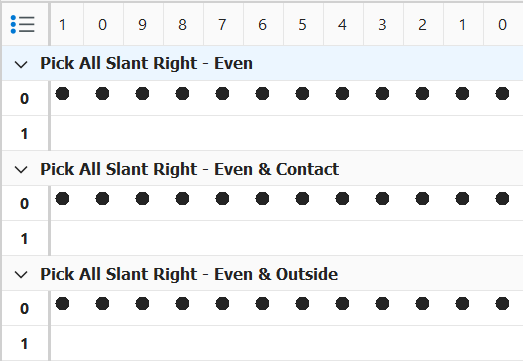 etc.
etc.
The next diagrams will show analyzes of numbers that were drawn as consecutive numbers and at the same time Even & Connected, Even & Unconneced etc numbers
Please note that in a pick game the disconnected numbers do not exist.
Please see also Analysis Screen topic for more info on how to interpret diagrams